Fix "Failed to load current time zone" in SharePoint After the B.C. Time Zone Change

Microsoft documentation checked 12 min read
Topics: SharePoint Online, SharePoint Lists, Microsoft 365, Windows, Troubleshooting
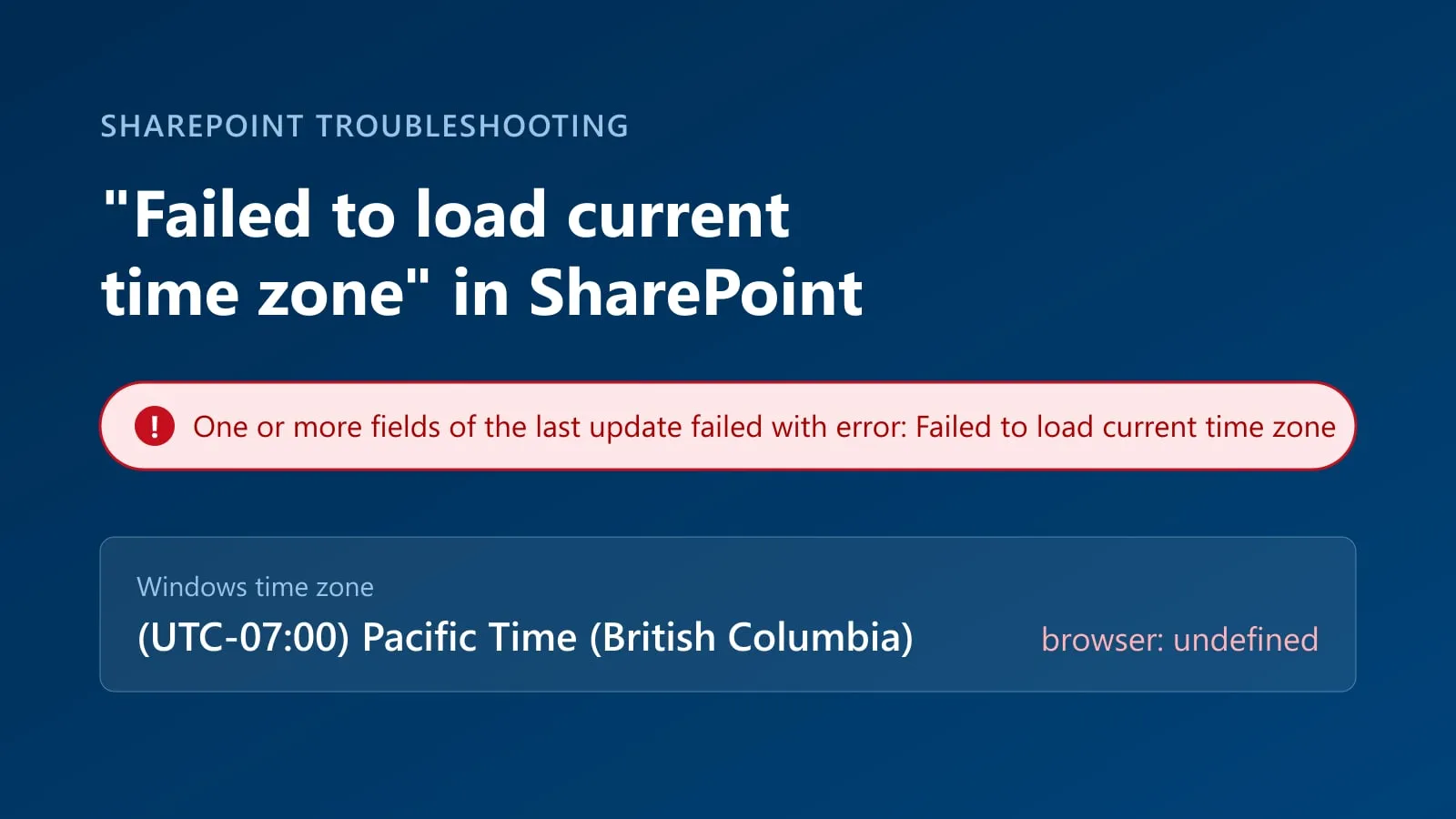
If a SharePoint list item won’t save and you see “One or more fields of the last update failed with error: Failed to load current time zone”, check the PC’s Windows time zone. If it is set to the new (UTC-07:00) Pacific Time (British Columbia), an outdated browser is the likely cause. Chrome versions before 156 don’t recognize that new Windows time zone: they report no time zone at all and use UTC-8 instead of UTC-7. SharePoint then can’t work out the user’s time when it saves a date and time field. Update Chrome to 156.0.8078.73 or later, update Edge, and restart the browser. If you can’t update yet, switching Windows to a time zone the browser already knows made the error go away in my testing.
A user I support ran into this recently. Saving any item with a date and time column failed with that message. Changing the laptop’s time zone back to (UTC-08:00) Pacific Time (US & Canada) and restarting the browser fixed it straight away. That workaround has a catch from November 1, though, so read the workaround section before you roll it out.
The short answer
- Cause: Windows updates from September and October 2026 added the time zone (UTC-07:00) Pacific Time (British Columbia) for B.C.’s move to permanent UTC-7. Some browser builds lack the mapping for that new Windows time zone ID. In my Chrome 155 test, the browser returned
undefinedfor the time zone and used UTC-8 instead of UTC-7. - Fix: update the browser and restart it. The Chrome fix is in 156.0.8078.73 or later, which Google released to the Stable channel on October 27, 2026, rolling out over the following days and weeks. Update Edge too. Then run the 30-second console check below to confirm.
- Temporary workaround: if you can’t get a browser update yet, change the Windows time zone. Before November 1, use (UTC-08:00) Pacific Time (US & Canada). From November 1, use (UTC-07:00) Yukon to stay on UTC-7. Microsoft gives Yukon as the temporary choice for PCs that can’t get its Windows update; its guidance doesn’t cover this browser error, but Yukon worked in my test. Return to Pacific Time (British Columbia) once the browser is fixed.
- SharePoint settings: don’t change the site’s regional settings to work around this. They control how SharePoint shows dates and times, but they can’t fix a browser that doesn’t recognize the PC’s time zone.
SharePoint error: “One or more fields of the last update failed with error”
A red bar appears at the top of the list form or grid, with this text:
One or more fields of the last update failed with error: Failed to load current time zone
It shows up when someone creates or edits a list item and the change includes a date and time column. Other users on the same list save the same item without a problem. That is the clue: the difference is on their PCs, not in the list.
Why Chrome shows the wrong time with Pacific Time (British Columbia)
British Columbia adopted permanent daylight time in 2026. Most of the province stays on UTC-7, and clocks will not fall back on November 1, 2026. Windows needed a new time zone for that, because the old (UTC-08:00) Pacific Time (US & Canada) zone still falls back with Washington, Oregon and California.
Microsoft added that zone in its September and October 2026 Windows updates:
| Shown in Windows Settings | Time zone ID (for admins and scripts) |
|---|---|
| (UTC-07:00) Pacific Time (British Columbia) | British Columbia Standard Time |
Windows switches a PC to the new time zone by itself when Set time zone automatically is on and location services are available. Users and IT teams also switched early, so calendar items would be right before November 1. That is why the error started in October, before the actual time change.
Windows knows the new time zone. Browsers do not use Windows’ time zone name directly, though. Chrome and Edge translate it into a standard name such as America/Vancouver with a table that ships inside the browser. The new B.C. ID wasn’t in that table. The missing mappings were added to the Unicode CLDR data on October 9 and to ICU’s maintenance branch on October 13, 2026, but each browser also has to ship the updated data. Until it does, the browser:
- reports the time zone as
undefined, and - uses UTC-8 instead of UTC-7, so JavaScript dates and times on web pages appear one hour behind the Windows clock.
This is tracked in the Chromium bug Chrome/Edge automatic timezone detection fails for British Columbia Standard Time, and Firefox had the same gap in Mozilla bug 2082211. The same problem affects the new Alberta and Manitoba time zones.
SharePoint’s list forms rely on the browser’s time zone when they save a date and time value. When the browser has no time zone to give, the save fails with “Failed to load current time zone”.
What I saw when I tested it
I switched a fully updated Windows 11 PC between three time zones and asked a freshly started Chrome 155 what it saw, on October 27, 2026:
| Windows time zone | Time zone Chrome reported | UTC offset Chrome used |
|---|---|---|
| (UTC-07:00) Pacific Time (British Columbia) | undefined | UTC-8, one hour behind Windows |
| (UTC-07:00) Yukon | America/Whitehorse | UTC-7, correct |
| (UTC-08:00) Pacific Time (US & Canada) | America/Vancouver | UTC-7, correct on October 27 |
Of the three, only Pacific Time (British Columbia) produced the wrong result. Yukon and Pacific Time (US & Canada) both returned a recognized time zone and the correct offset that day, which is why changing the Windows time zone works as a temporary workaround. They are not interchangeable for every date, though: Pacific Time (US & Canada) falls back an hour on November 1.
How to check the time zone in Chrome or Edge
This takes about 30 seconds.
-
In Chrome or Edge, press F12 to open the developer tools and select Console.
-
Paste this line and press Enter. It returns the time zone name and the current UTC offset in hours:
[Intl.DateTimeFormat().resolvedOptions().timeZone, -new Date().getTimezoneOffset() / 60] -
Read the two values:
["America/Vancouver", -7]: the expected result for a PC in most of B.C. The browser is fine.[undefined, -8]: the result I saw in Chrome 155 with the new B.C. Windows time zone. This PC will get the SharePoint error.- A different name or offset: compare it with Windows Settings before deciding whether the browser is affected.
This checks the browser’s time zone detection. It doesn’t prove on its own that SharePoint will save, so try the item again afterwards.
To see which time zone Windows itself is using, run this in PowerShell:
Get-TimeZone | Select-Object Id, DisplayNameIf Windows reports British Columbia Standard Time and the browser reports an undefined time zone or a UTC-8 offset, that is strong evidence of this mapping problem.
How to fix the SharePoint time zone error in Chrome or Edge
- Chrome: go to Settings > About Chrome (or open
chrome://settings/help). Install the update and select Relaunch. Google’s October 27, 2026 Stable channel update is version 156.0.8078.73/.74 for Windows, and Chromium’s change log for that version includes the ICU roll that fixes the time zone mapping. Google says the update rolls out over the coming days and weeks, so a PC may not get it immediately. - Edge: go to Settings > About Microsoft Edge (
edge://settings/help), install any update and restart. Admins in the Chromium bug thread reported that current Edge builds already showed the right time zone before Chrome did. I couldn’t find an Edge release note for it, so use the console check to confirm. - Firefox: Mozilla verified the fix for the same mapping problem in Firefox 159 and the patched ESR 153 branch (bug 2082211). Update, restart Firefox and confirm the time zone and offset.
- Close every browser window, open the browser again and run the console check. It should now return
["America/Vancouver", -7]. - Save the SharePoint item again.
Don’t roll back the Windows update. The new time zone is the correct setting from November 1. Only the browser needs to catch up.
Workaround: switch Windows to Pacific Time (US & Canada) or Yukon
This is the fix I used for the user, with one change for November 1:
- Open Settings > Time & language > Date & time on the PC.
- Turn off Set time zone automatically, or Windows will switch straight back to the B.C. time zone.
- Change Time zone:
- Before November 1, 2026: choose (UTC-08:00) Pacific Time (US & Canada). It shows the same time as the B.C. zone until then.
- From November 1, 2026: choose (UTC-07:00) Yukon. Pacific Time (US & Canada) falls back an hour that night, so a PC left on it will show the wrong time all winter. Yukon stays at UTC-7. Microsoft lists it as the temporary choice after November 1 in its interim guidance for British Columbia, for PCs that can’t get the Windows update.
- Close the browser completely and open it again. Chrome can keep running in the background after you close its windows, so check the system tray, or restart the PC.
- Try saving the SharePoint item again.
Once the browser recognizes the new time zone, restore (UTC-07:00) Pacific Time (British Columbia) and turn Set time zone automatically back on if you turned it off. Restart the browser, run the console check again and confirm that SharePoint items save. Microsoft notes that the stand-in time zones have different names and historical rules, so use them only as a temporary workaround.
Applying the workaround to many PCs
If you manage several PCs, check for the browser update first and verify the result on one affected device. That is better than changing the Windows time zone across your organization. If some PCs can’t get the update yet, try the time zone workaround on a test device before you roll it out more widely. Changing the system time zone affects other applications and calendars too, especially around the November 1 change.
These PowerShell commands switch between the temporary Yukon setting and the correct B.C. setting:
# Temporary: a time zone current browsers recognize (UTC-7 all year)
Set-TimeZone -Id "Yukon Standard Time"

# Once the browser is updated: back to the correct B.C. time zone
Set-TimeZone -Id "British Columbia Standard Time"
On a PC with Set time zone automatically turned on, Windows may switch back to the B.C. time zone by itself, so turn that setting off while the workaround is in place.
Things to check after the fix
- Times saved from affected browsers. If SharePoint showed the save error, check whether the change was saved before you enter it again. Also spot-check date and time values entered in other web apps while the browser was using the wrong UTC offset. Apps that rely on the browser’s time zone may have shown or stored times an hour off.
- Outlook calendars. Updating the browser doesn’t fix calendar events created with the old time zone rules. Review meetings on or after November 1, especially recurring ones. Microsoft has the steps in Outlook Time Zone Changes for British Columbia, Alberta, and Manitoba.
- Your own scripts and apps. Any code that reads the PC’s time zone needs updated time zone data too. In my test, Node.js 22.23 also returned no time zone name for the B.C. time zone, and other libraries have similar open issues.
FAQ
What causes “One or more fields of the last update failed with error: Failed to load current time zone”?
In the case I investigated, the error appeared when SharePoint saved a list item with a date and time column while Chrome couldn’t recognize the new B.C. Windows time zone. Changing the Windows time zone fixed it straight away. That points to a browser and Windows time zone problem, not a SharePoint list setting. Other causes are possible, so check the browser’s time zone with the console check before you change anything in SharePoint.
Why is Chrome one hour behind the Windows clock in British Columbia?
In my Chrome 155 test, the browser didn’t recognize the new Windows time zone (UTC-07:00) Pacific Time (British Columbia) and used UTC-8 instead, so times in web pages appeared one hour behind. Update Chrome to 156.0.8078.73 or later, restart it, and run the console check to confirm it reports America/Vancouver and UTC-7.
Can Microsoft Edge cause “Failed to load current time zone” in SharePoint?
Edge uses the same Chromium code, so an older Edge can show the same error. Admins reported that current Edge builds already show the right time zone, but I couldn’t find an Edge release note for it. Update Edge, restart it and run the console check to be sure.
Which Windows time zone should PCs in most of B.C. use after November 1, 2026?
(UTC-07:00) Pacific Time (British Columbia). If an older browser can’t recognize it yet, (UTC-07:00) Yukon can be used temporarily while you get the browser updated. Don’t leave PCs on (UTC-08:00) Pacific Time (US & Canada) after November 1, because that time zone still changes with the seasons. Parts of B.C. follow different time zone arrangements, so check the rules for those areas.
Does the Chrome and Edge time zone problem also affect Alberta and Manitoba?
Yes. The same missing mapping affected the new Windows time zone IDs Alberta Standard Time and Manitoba Standard Time, as well as British Columbia Standard Time. Browsers should report them as America/Edmonton, America/Winnipeg and America/Vancouver. On a PC in Alberta or Manitoba, compare the browser’s time zone and offset with the Windows setting. Updating the browser should fix the mapping, but verify the result rather than relying on the version number alone.
Should I change the SharePoint site’s time zone?
No. The site’s regional settings decide how SharePoint shows dates. They don’t help when the browser can’t name the user’s own time zone. Changing them only shifts the times everyone else sees.
If your organization is seeing SharePoint list errors, wrong date and time values, or Microsoft 365 apps that behave differently from one PC to the next, I can help find the cause and a fix that holds. I work with organizations in British Columbia and beyond on SharePoint Online and Microsoft 365 troubleshooting.
Need help with your Microsoft 365 environment?
I help organizations modernize SharePoint, improve governance, and build solutions that internal teams can maintain.
Free SharePoint planning resource
Planning a SharePoint migration or governance cleanup?
Download the SharePoint Migration & Governance Readiness Checklist to review migration scope, permissions, governance, Teams/OneDrive strategy, retention, and Copilot readiness.
Download the Checklist
SharePoint architect & Microsoft 365 consultant • 16+ years of experience
If you have questions about your SharePoint environment, feel free to reach out.